
How to buy from DailyMed
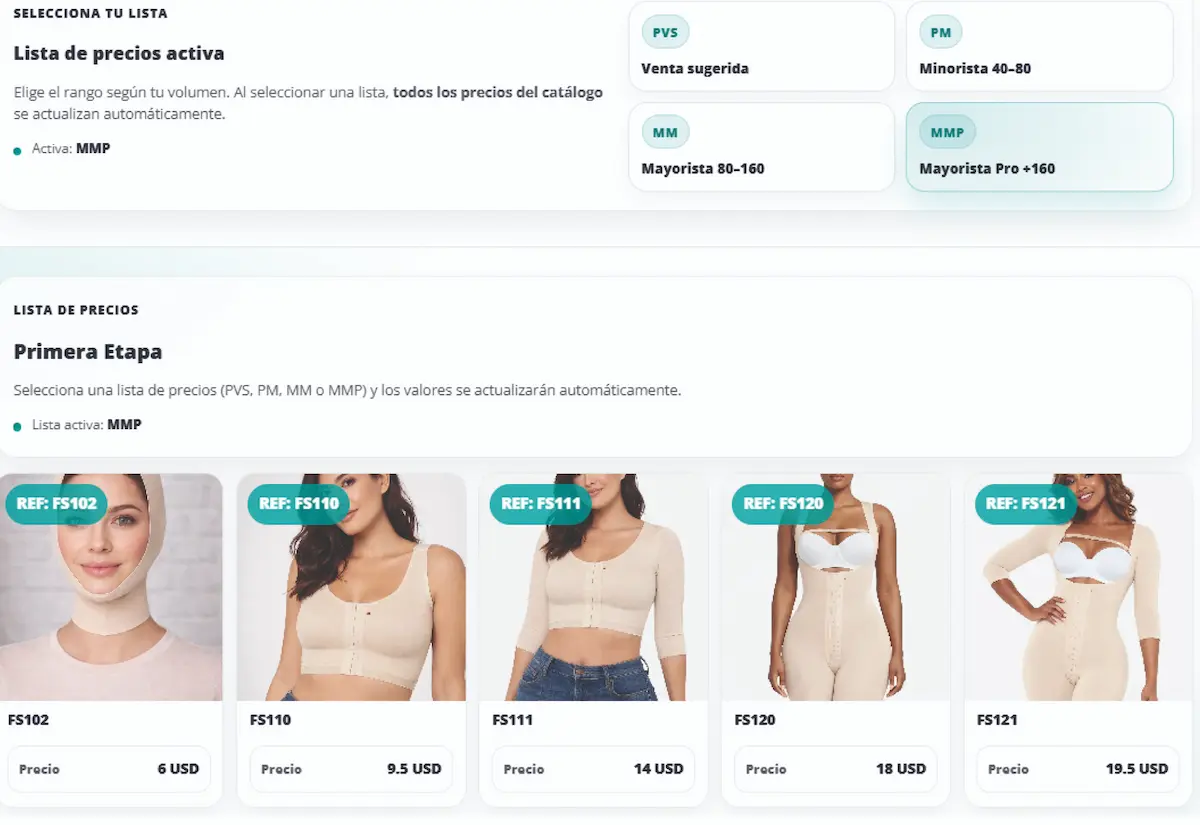
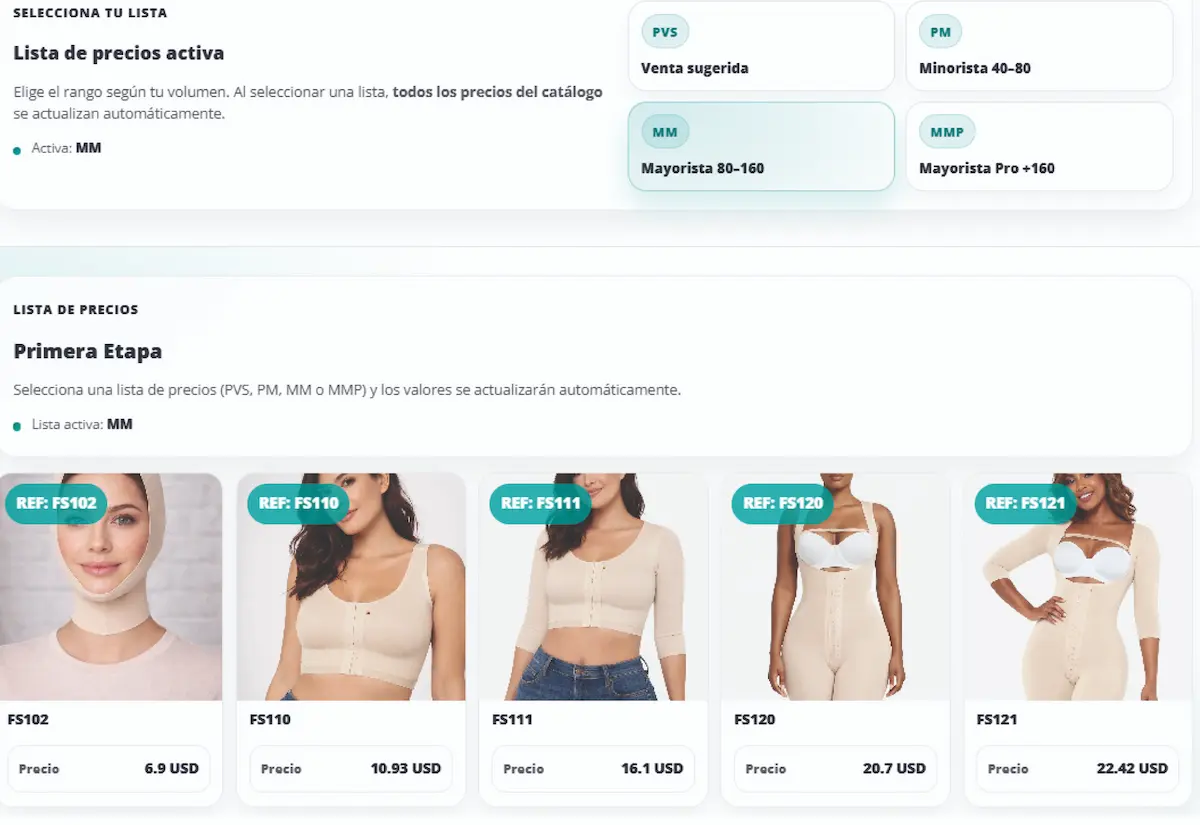
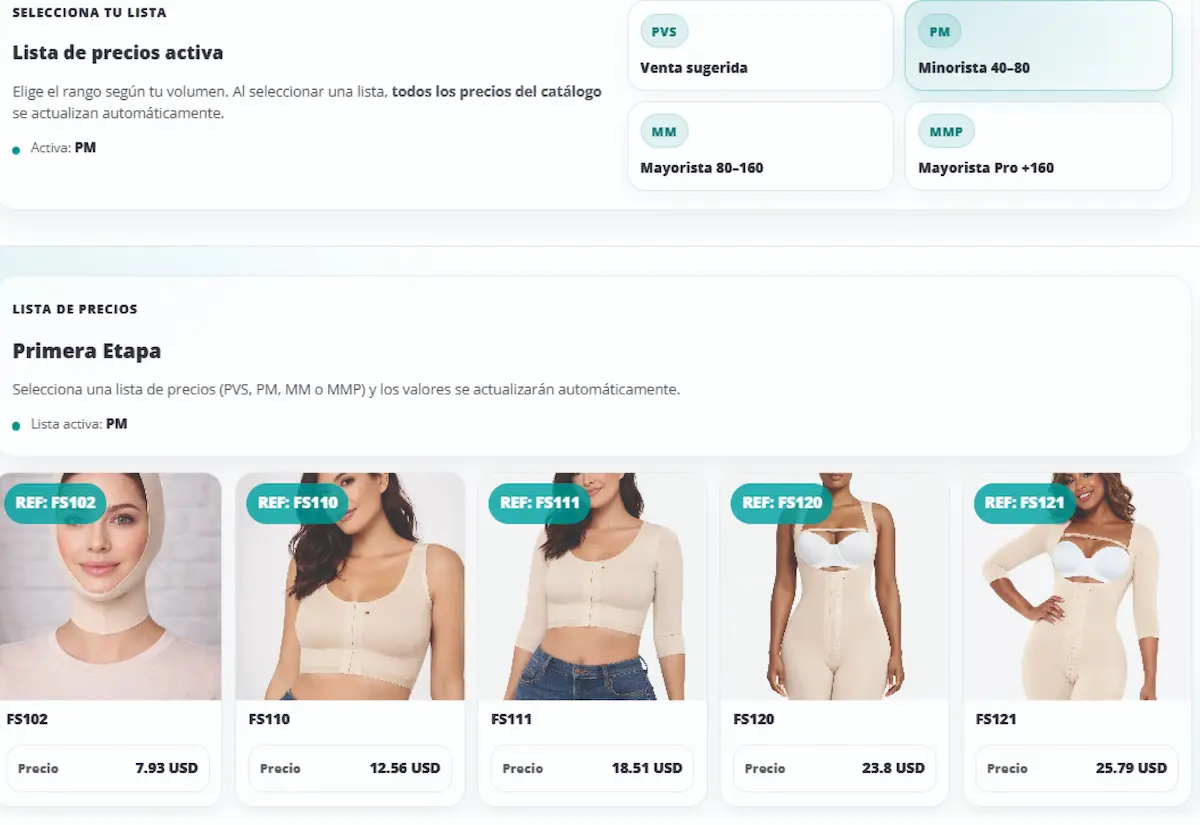
We focus on exclusive production runs for each wholesale client. Here’s the step-by-step process to browse items, understand pricing, register, and submit your order.

Your order, without the hassle
If you need help at any point, an advisor can guide you via WhatsApp. Support is available 24/7 (outside business hours, replies may take a bit longer).
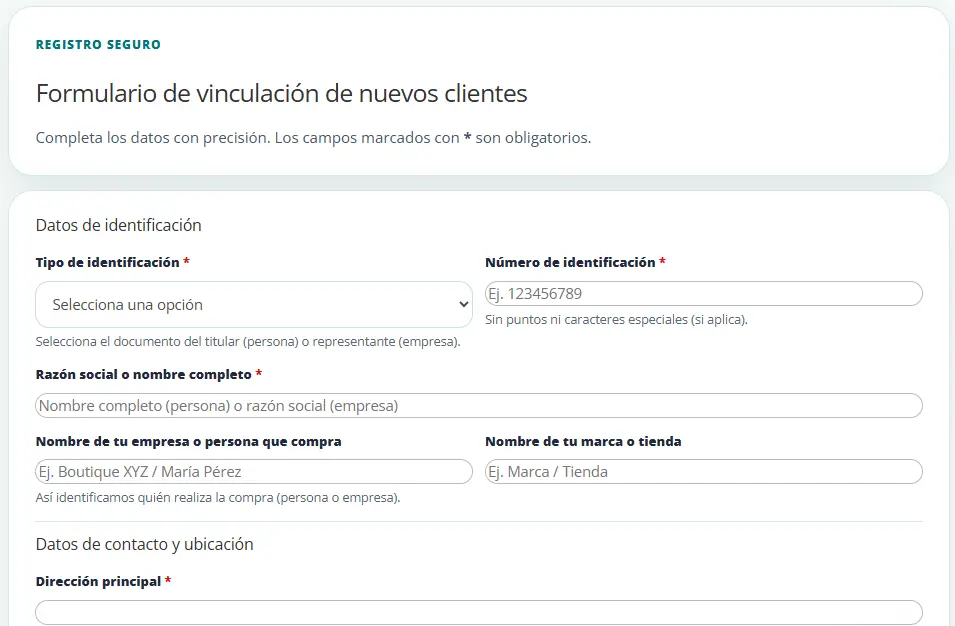
Before placing an order, complete the client registration form so we can validate your details and streamline production.
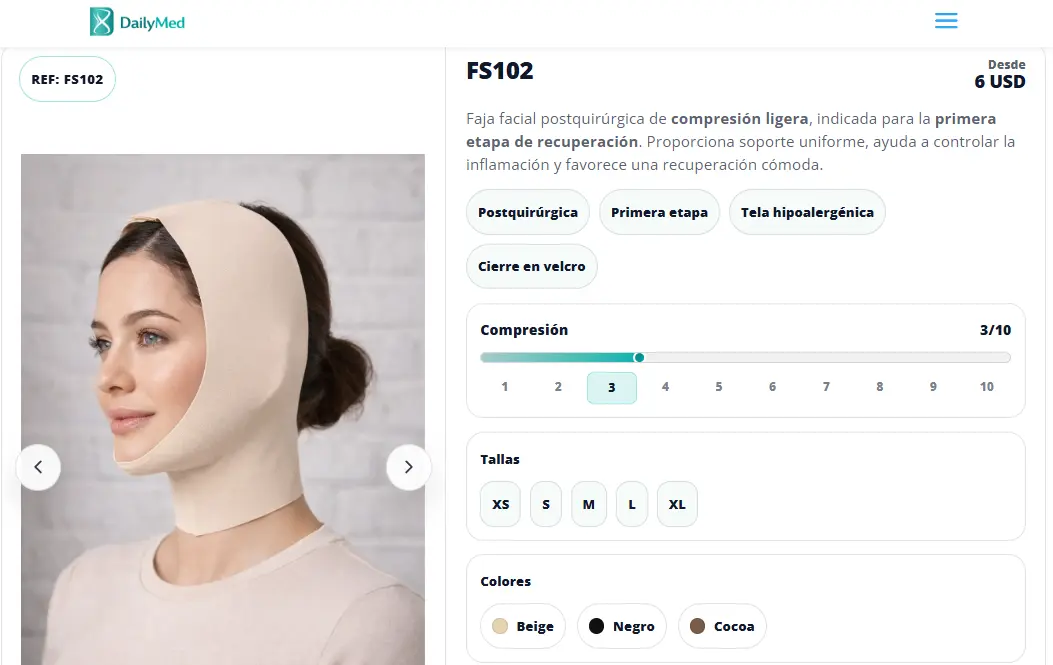
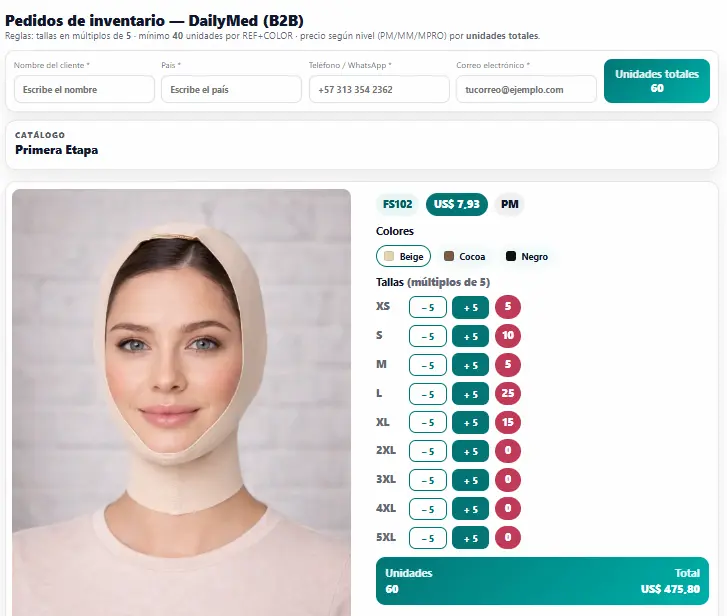
Select item, color, and sizes. Once your order meets the minimums, the “Submit order” button will be enabled. You’ll receive a copy at the email address you provide.
- Minimum 5 units per size (only in multiples of 5).
- Minimum 40 units per SKU (Reference + Color), mixing sizes.
- If minimums are not met, the system will not allow the order to be submitted.
Confirmation, payments, and shipping
To finalize, an advisor confirms production details and coordinates payment and shipping.
- To start production, a 50% deposit of the order total is required.
- The remaining 50% + shipping is paid before dispatch.
- Shipping cost is calculated at the end, once the order is packed (rates change daily).
- You’ll always be able to contact an advisor 24/7 for guidance and follow-up (outside business hours, replies may take a bit longer).

Want us to guide you step by step?
We’ll help you confirm items, minimums, pricing tier, and production timelines.
Catalog
Explore product lines by stage and purpose
Browse categories to view references, recommended compression, and common uses for clinics and wholesale distribution.


